Divide the backlog
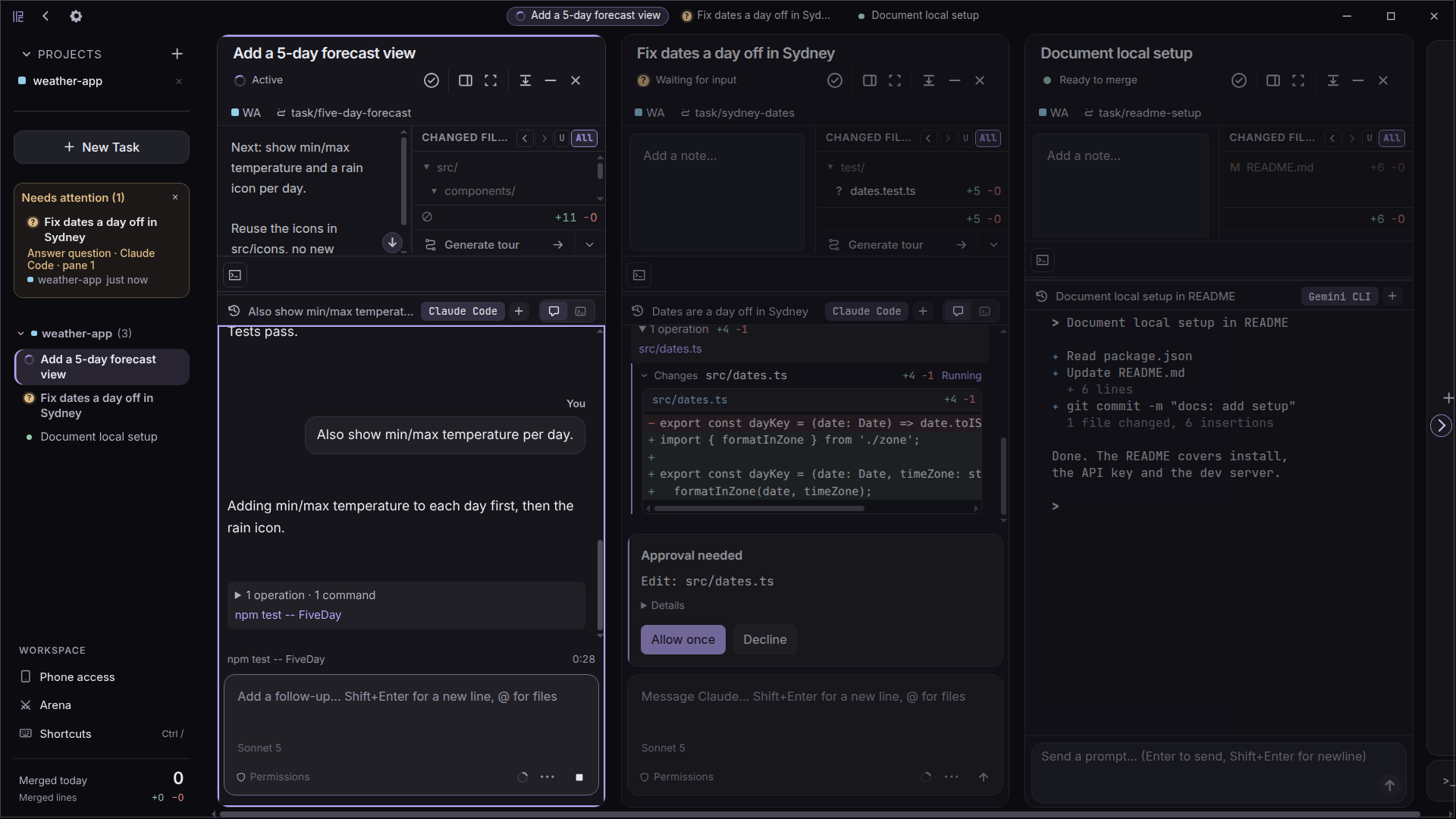
Give separate tickets to separate agents. Each task has its own worktree and branch, with a diff you can review on its own.
One workspace. Multiple AI coding agents.
Each in its own git worktree. You choose what ships.
Your favorite agents. One place to run them.
The process / 01—03
Give each idea room to run. Follow the work, inspect the result, and decide what lands in your codebase.
Describe what you want built and choose an agent: Claude Code, Codex CLI, Gemini CLI, Copilot CLI, or Antigravity CLI.
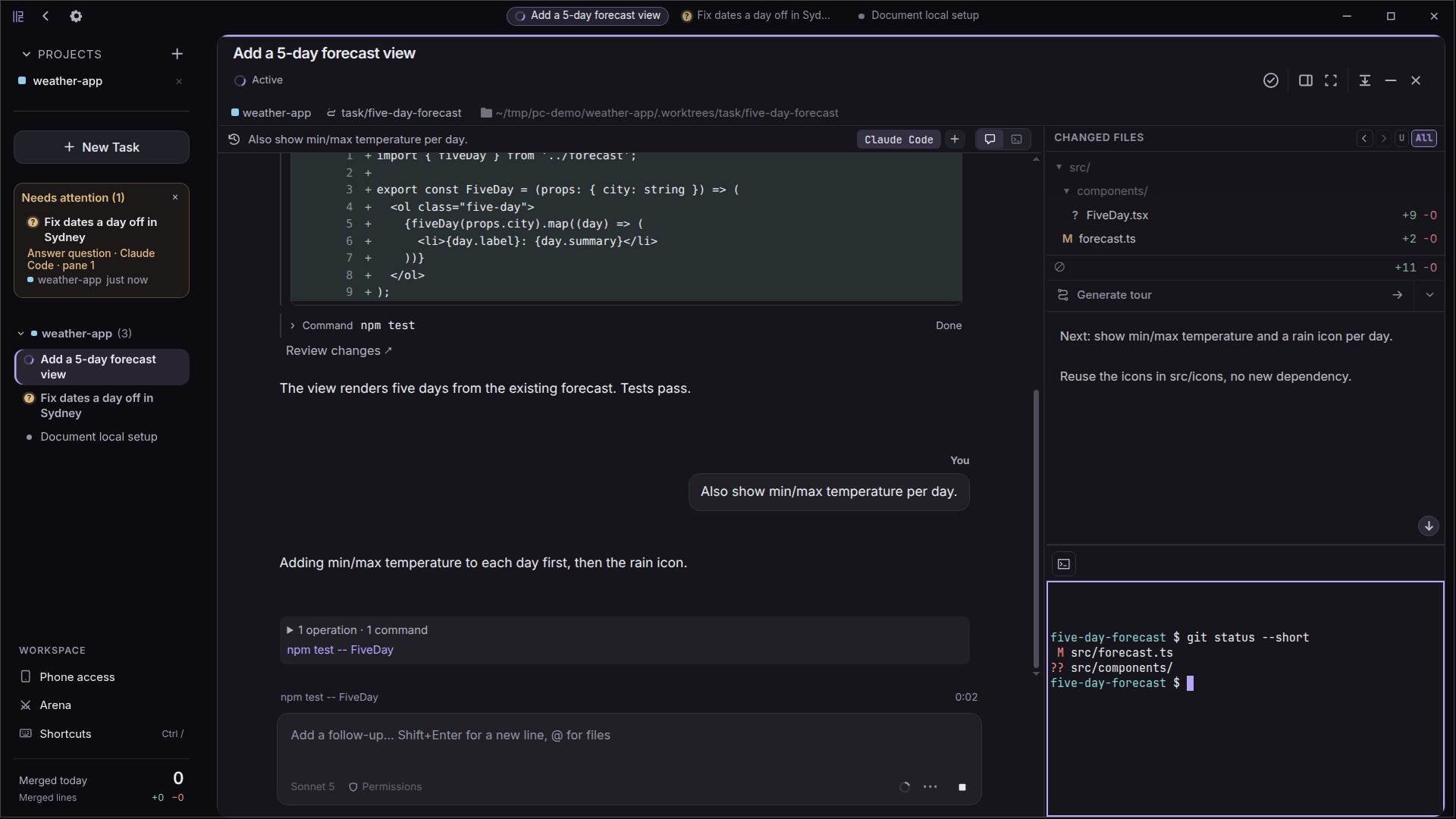
Parallel Code creates a branch and worktree for the task, so agents can work in separate working copies.
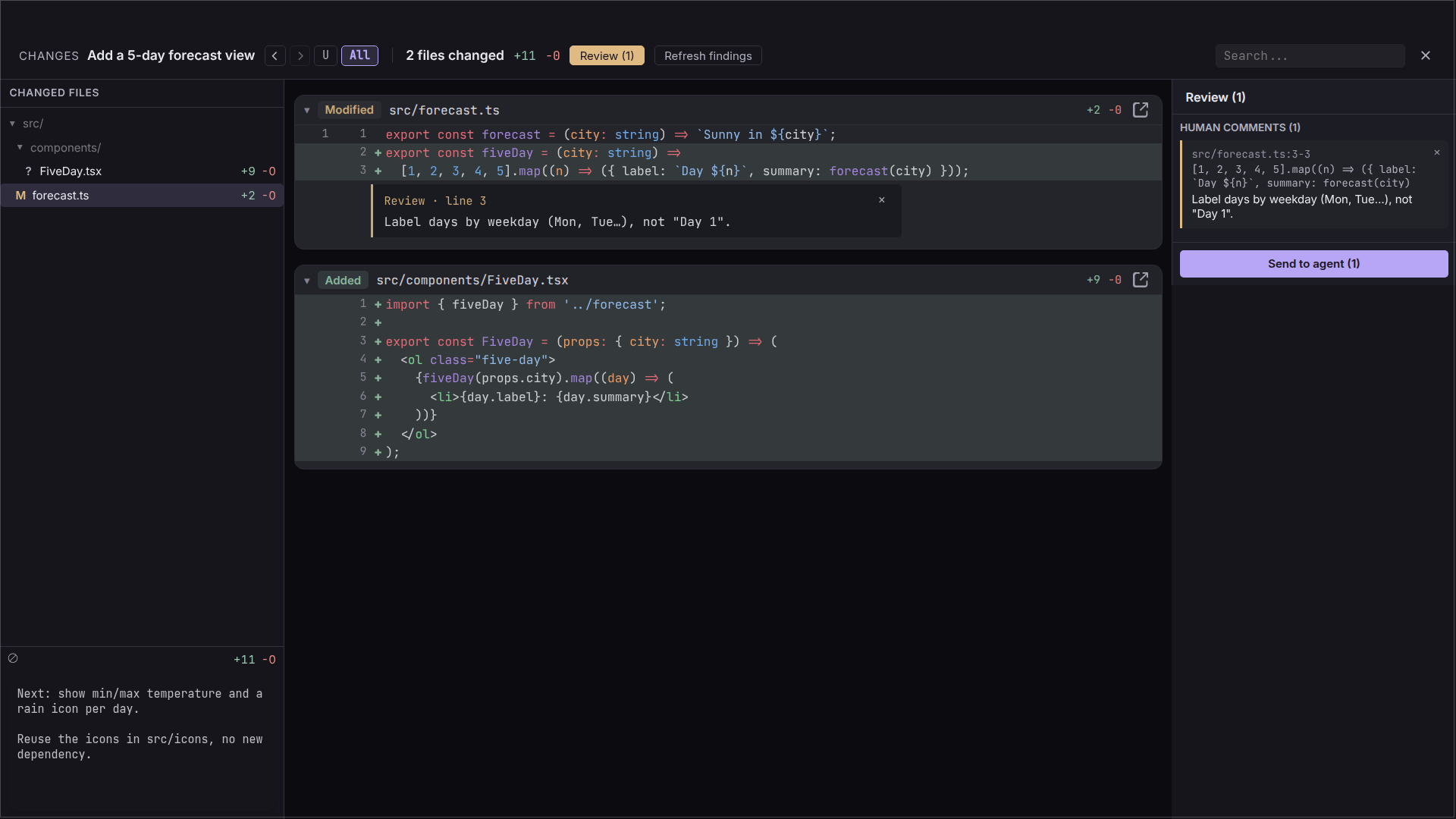
Inspect the diff and changed files, then merge the branch from the sidebar when you're ready.
Parallel, with purpose
One workspace for the moving parts of your day, from routine fixes to competing ideas.
Give separate tickets to separate agents. Each task has its own worktree and branch, with a diff you can review on its own.
Send one agent after a flaky test while another builds the next feature. Follow both without waiting at one terminal.
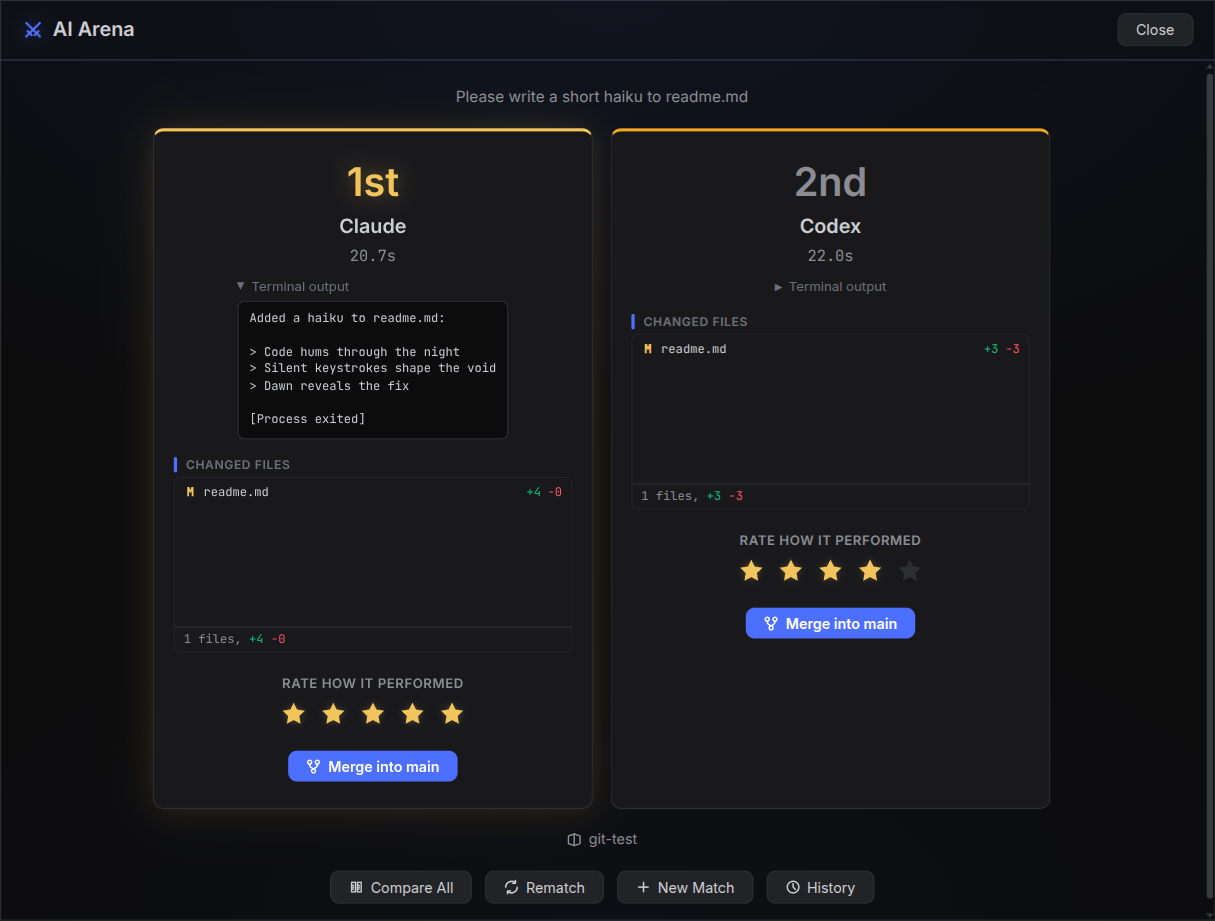
Give the same problem different directions. Compare the resulting diffs and choose the solution that fits.
Built for your workflow
The tools you already trust, with a clearer way to manage agents, branches, and results.
Run agent CLIs in real terminals, or use built-in chat for Claude Code and Codex with clear approvals and context usage.
Keep working in VS Code, Cursor, JetBrains, or Sublime while Parallel Code manages agents and worktrees.
Each task gets a git branch and worktree, keeping active working copies separate.
Dispatch multiple agents in the same repository and follow each task as it progresses.
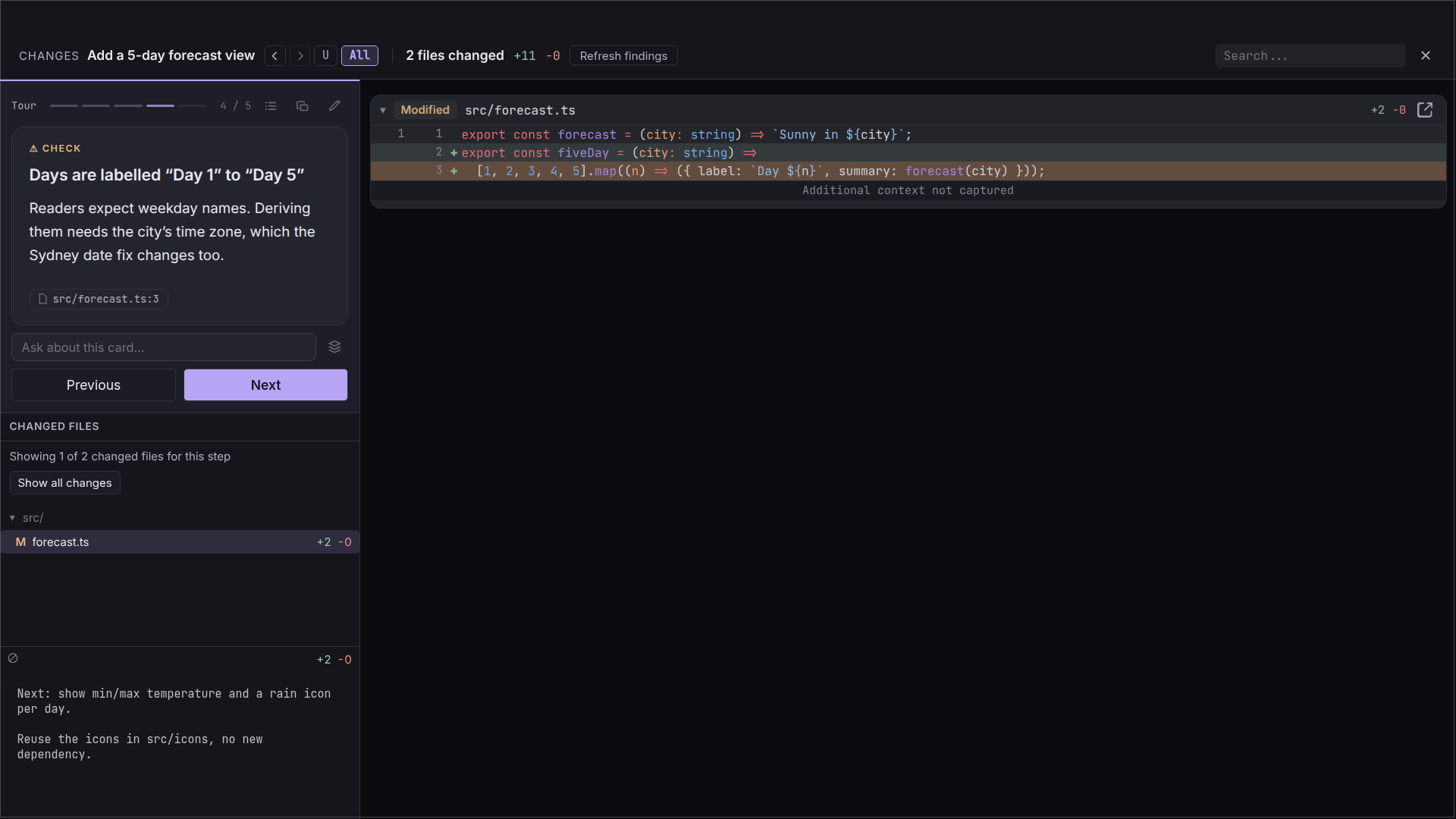
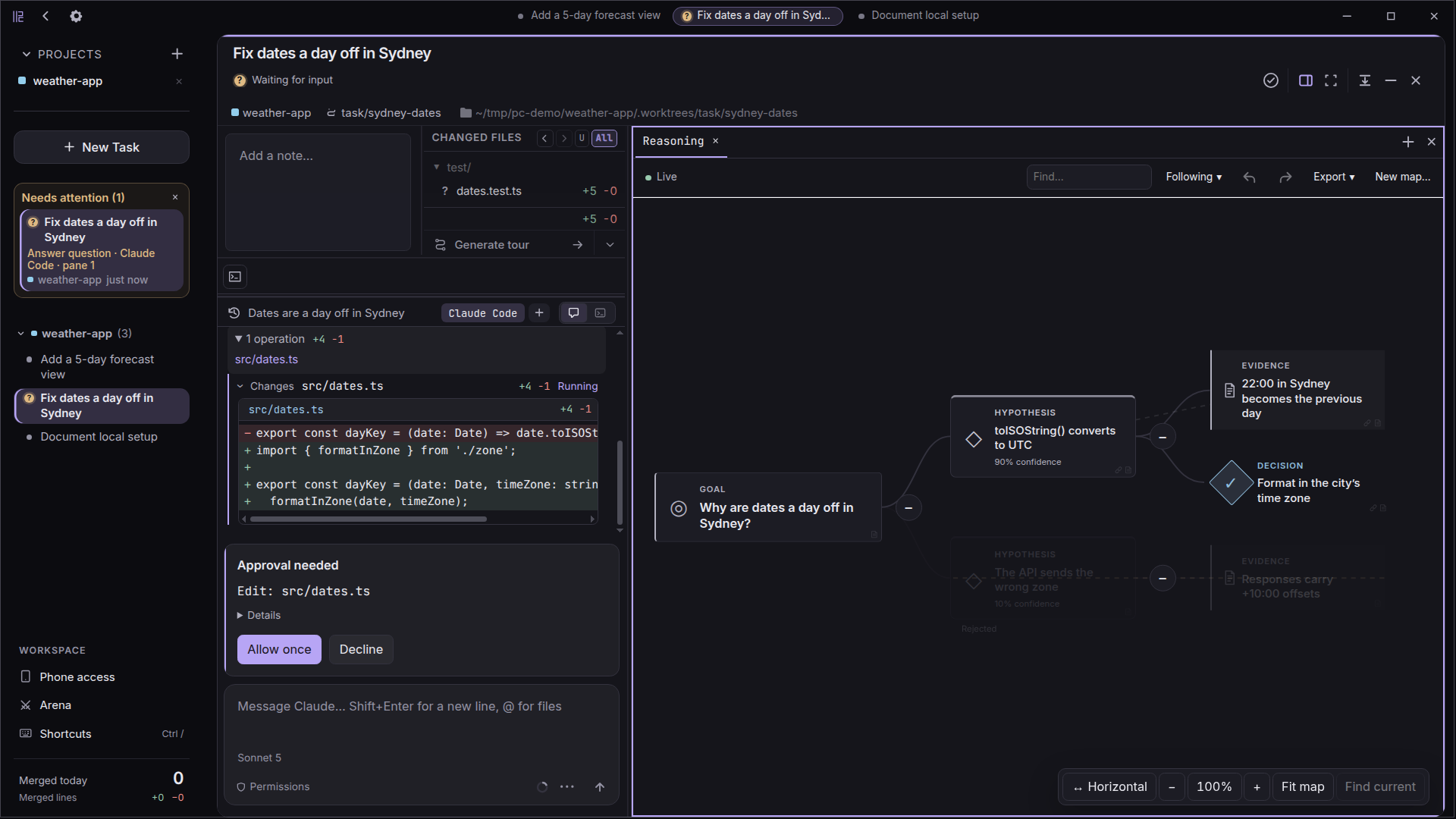
Walk through a plan, a changed file, or a whole branch in short steps. Ask follow-up questions at any stop.
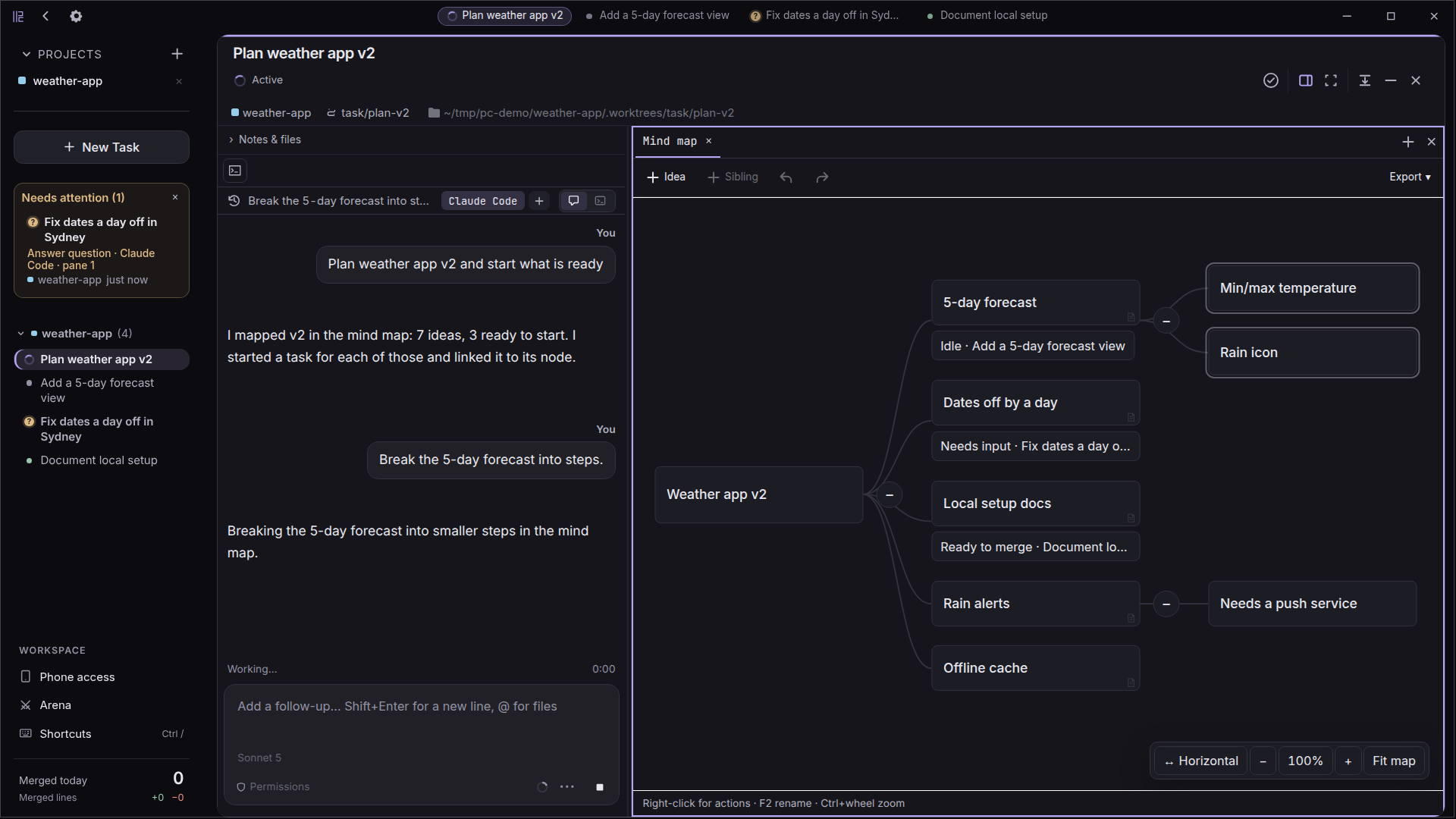
Sketch ideas on a per-task canvas the agent can read and extend, then start a new task straight from any node.
Let agents delegate subtasks in separate worktrees. Review their results and see what needs your attention in one queue.
Use keyboard shortcuts at your desk, or follow agent terminals and chats from your phone over Wi-Fi or Tailscale.
Use your own API keys. Parallel Code doesn't proxy or collect your agent traffic.
Inside the workspace
See the whole picture, dive into a task, and review every change. A calmer home for your parallel work.
Less overhead, more ownership
Your terminal agents and your editor, with the coordination taken care of.
| The workflow | Managing it yourself | With Parallel Code |
|---|---|---|
| Starting a task | Create a branch and set up a working copy. | Describe the task. Get a branch and worktree. |
| Following progress | Switch between individual terminal sessions. | Keep your agent sessions in one workspace. |
| Reviewing the result | Find the right branch and inspect its changes. | Open the task’s diff and leave inline comments. |
| Finishing up | Manage the branch and merge from your terminal. | Review, then merge from the sidebar. |
A few more things
Want to dig a little deeper?
Join the conversation on GitHubParallel Code is a standalone Electron app. Keep using your preferred editor — VS Code, Cursor, JetBrains, Sublime, whatever you like. It manages the agents and worktrees; your IDE handles the code.
Claude Code, Codex CLI, Gemini CLI, Copilot CLI, and Antigravity CLI out of the box. Any CLI-based coding agent that works in a terminal can be used.
Each task gets its own git branch and worktree, so agents do not overwrite the same working copy. Branches can still conflict later if they change the same code; review and resolve those integration conflicts before merging back to main.
macOS (universal .dmg) and Linux (.AppImage or .deb). Download from the GitHub releases page.
Yes. Parallel Code is free and open source under the MIT license. Your API keys stay yours — nothing is proxied or collected.
Your next idea doesn't have to wait
Put your agents to work. Keep the final say.